Without a plan, your passwords die with you. The accounts stay locked, subscriptions keep billing, and crypto held only in your head is gone for good. The fix is simple, and most people set it up in under an hour.
The Short Answer
Your passwords die with you. Unless you’ve made a specific plan, nobody gets them, not your spouse, not your kids, not your estate attorney. The accounts stay locked, the subscriptions keep billing, and anything stored only behind a login is gone.
About 39% of Americans store their passwords entirely in their heads, per an All About Cookies survey. Nearly four out of ten people have a digital life that simply vanishes when they do.
The Problem Nobody Talks About
We plan for wills, life insurance, who gets the house. But most people haven’t once thought about planning their digital legacy and what happens to their 100+ online accounts.
The average person has somewhere between 70 and 100 password-protected accounts. Email, banking, social media, cloud storage, streaming services, crypto exchanges, medical portals, utilities, every single one locked behind credentials that exist only in your memory or your password manager. If nobody else has access to either of those, all of it becomes a black box the moment you’re gone.
Your family will spend weeks (more likely months) trying to get into accounts through official channels. Some platforms. Facebook and Google, mainly, have legacy contact or inactive account features. Most don’t. And the ones that do make it slow, painful, and sometimes impossible without a death certificate and a lawyer.
Meanwhile, subscriptions keep charging. Domain names expire. Cloud storage ticks toward deletion. And if you had any crypto? The clock is really ticking, because there’s no customer support line for a blockchain.
When Gerald Cotten, the founder of QuadrigaCX, died unexpectedly in 2018, roughly $190 million in cryptocurrency became permanently inaccessible. His was an extreme case, but the same basic problem hits regular families every day on a smaller scale, a few thousand dollars in a Coinbase account, Bitcoin in a hardware wallet, an Ethereum address nobody else has the seed phrase for. Gone.
What Actually Happens to Your Accounts
The real sequence of events when someone dies without a password plan:
Email goes dark first. Your family tries to log into your Gmail or Outlook. They don’t have the password. They try recovery, but the recovery email and phone number are both on your locked devices. They contact Google support and get told to submit a death certificate and wait 30-60 days. Maybe they’ll get in. Maybe they won’t. Two-factor authentication (which you should have on) makes it even harder.
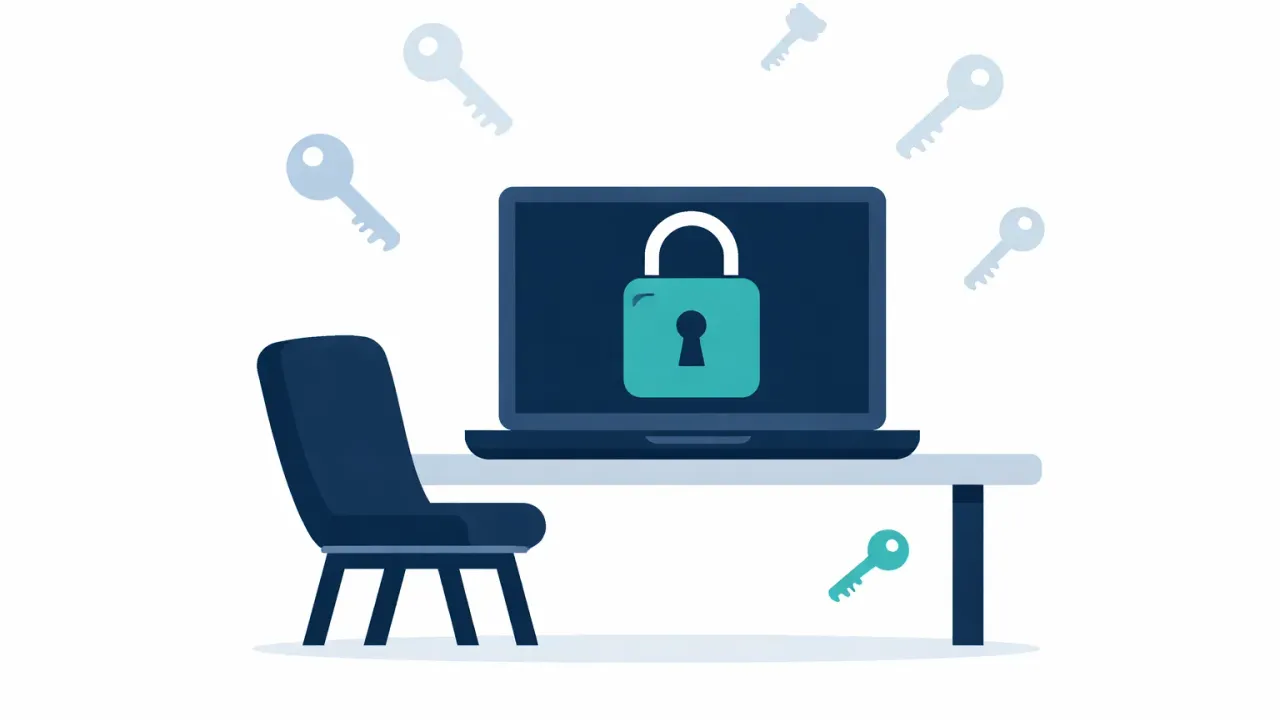
There's no support line for a blockchain. Without keys, the coins stay in the wallet forever.
Banking becomes a legal process. Most banks freeze accounts once they’re notified of a death. Online-only banks like Ally or Marcus? Your family might not even know they exist. The statements were emailed, not mailed. If nobody knows to look, the accounts sit there until the state claims them as abandoned property.
Social media turns into a memorial or disappears. Facebook lets you assign a legacy contact, but that person can only do limited things, pin a post, update a profile photo. They can’t read your messages. Instagram, Twitter/X, and TikTok each have their own processes, most involving proof of family relationship and a lot of waiting.
Cloud storage starts deleting. Google gives you 2 years of inactivity before they start clearing out your Drive, Photos, and Gmail. Apple’s iCloud has similar policies. All those family photos your spouse assumed were backed up? On a timer now.
Crypto is the worst case. Without the private keys or seed phrase, cryptocurrency is mathematically impossible to recover. Not improbable, impossible. No “forgot password” link. No support team. The coins sit in a wallet nobody can open, forever. Chainalysis estimates around 20% of all Bitcoin in existence is in lost or inaccessible wallets.
Subscriptions keep charging. Netflix, Spotify, Adobe, the gym, the cloud server, the domain registrar, they’ll all keep billing your credit card until it expires or someone cancels them. Some families don’t catch this for months.
Your Options, Ranked
There’s no single right answer. The best option depends on how many accounts you have, how technical you are, and how much you trust the people involved.
1. AbsentKey
AbsentKey is built around one idea: you share secrets with people you trust, and you control exactly when they get access.
You add a secret, a password, a file, a note, whatever needs sharing, and assign it to a specific person. For each person, you set a waiting time anywhere from instant to 365 days. Say you set it to 30 days. Your recipient can request access at any time. When they do, you get notified. You can approve the request immediately, deny it, or just do nothing. If you don’t respond within 30 days, the timer expires and they get access automatically.
That last part is the safety net. It only kicks in when someone actually asks for access and you can’t respond. No daily pings. No proving you’re alive every week. No heartbeat check-in. The system just sits there quietly until it’s needed.
Some specifics:
Receiving is always free. The person you’re sharing with never pays anything, they download the app, you share a secret with them, done. Every password manager requires both sides to have accounts, usually paid ones.
Encryption is XSalsa20-Poly1305 with X25519 key exchange, end-to-end. The server never sees your secrets in plaintext. The mobile client is source-available on GitHub, so you (or anyone) can verify the encryption claims.
It handles files too, not just text. PDFs, images, and documents with preview support.
Runs on both iOS and Android, unlike some competitors limited to one platform.
Pricing is $1.99/month or $19.99/year for premium (creating and sharing secrets). Receiving is free.
The per-person timer is the key differentiator. You might give your spouse a 7-day window and your sibling a 90-day one. NordPass locks you into 7 days for everyone. Most password managers don’t let you customize it at all.
2. Write Them Down on Paper
The simplest approach. Write your passwords on paper, put it in a sealed envelope, store it in a fireproof safe or with your attorney alongside your will.
This works for some people. It’s low-tech, can’t be hacked remotely, and requires zero trust in any software company. A law firm blog (Gaggos Flaggman PLLC) that currently ranks for this topic specifically recommends it.
The problems are real, though. Passwords change. You’ll forget to update the list. Paper can be found by the wrong person. And if you have 80+ accounts, maintaining a paper list is a job in itself. There’s also the fact that whoever holds the envelope has all your passwords right now, today, nothing stops them from opening it early.
3. Password Manager Emergency Access
Most major password managers have added some form of emergency access. The implementations vary a lot:
LastPass lets you designate an emergency contact who can request access to your vault. You set a waiting period (up to 30 days). If you don’t reject the request within that time, they get in. The feature exists but it’s buried in settings, and LastPass’s reputation took a hit after their 2022 breach exposed vault data. Plenty of people don’t trust them anymore, fair enough.
Bitwarden offers emergency access on premium plans. You pick a trusted contact, set a wait time, and they can either view or take over your vault. It works, but it’s a feature bolted onto a product designed for personal password management, not controlled sharing. The Bitwarden community forums are full of people asking for a proper dead man’s switch, which tells you something about how complete the current implementation feels.
1Password takes a different approach, no in-app emergency access at all. They give you an Emergency Kit, a PDF containing your Secret Key and sign-in details. You print it out, store it somewhere safe, and hope the right person finds it at the right time. It’s a fancy version of the paper method with the same drawbacks.
NordPass has emergency access with a fixed 7-day waiting period. Can’t change it. Seven days, take it or leave it.
Proton Pass added emergency access as part of their broader Proton suite. Configurable waiting period, and it integrates with Proton Mail and Drive if you’re already in their ecosystem. One of the more thoughtful implementations among password managers, actually. The catch: you need to be committed to Proton, and your recipients need Proton accounts too.
The pattern across all of these is the same: emergency access is a secondary feature, not the main product. It’s there to check a box. Setup is usually confusing, your recipient needs their own account on the same platform, and the experience for the person on the receiving end is an afterthought.
4. Dedicated Digital Legacy Tools
A newer category of apps built for this specific problem:
Cipherwill is a web-based digital will platform with end-to-end encryption. You store your data and designate beneficiaries. It uses heartbeat monitoring, you check in periodically to prove you’re alive. Miss a check-in and the delivery process starts. Fine in theory, but people forget to check in because they’re on vacation, in the hospital, or just busy. False triggers are a real risk.
Just In Case goes further with a five-level dead man’s switch: email, SMS, AI phone call, cooling period, then delivery. Thorough, but iOS-only and $99 for a lifetime license. The multiple check-in levels also mean more opportunities to get annoyed and stop using it.
DGLegacy positions itself as a password manager with built-in digital inheritance. Similar heartbeat approach. It’s trying to compete with 1Password and Bitwarden as a password manager while also being a legacy tool, which means it’s not best-in-class at either.
Inheriti takes a blockchain-based approach using Shamir’s Secret Sharing. Your data gets fragmented and stored on-chain. Technically interesting, appeals to the crypto crowd, but requires blockchain knowledge and token ownership. Not for the average person trying to make sure their spouse can get into Netflix.
What Makes a Good Solution
Whatever you go with, these things actually matter:
Your recipients shouldn’t need to pay. If you’re setting up a safety net for your family, asking them to maintain a paid subscription on a service they’ll hopefully never need is a hard sell.
Per-person control. Different people deserve different levels of access and different waiting periods. A one-size-fits-all approach doesn’t match how trust works in real families.
Encryption should be real, not marketing copy. Zero-knowledge, end-to-end encryption means the company running the service can’t read your data. If they can, a breach exposes everything. Look for source-available code you can audit.
No forced check-ins. Heartbeat systems sound reasonable until you’re the one being pinged every few days to prove you’re alive. The moment it becomes annoying, you stop using it, and then the whole thing falls apart.
Handle more than text. You’ll probably need to pass along documents, recovery codes, photos of IDs, maybe a scan of your will. A text-only field doesn’t cut it.
Setup should take minutes. If the process is so involved that you keep putting it off, the tool has failed before you even started. The best solution is the one you’ll actually finish setting up.
FAQ
Can my family just contact Apple or Google to get my passwords?
They can try. Apple has a Digital Legacy program, you designate a Legacy Contact who can request access after your death. Google has an Inactive Account Manager that shares data with trusted contacts after a period of inactivity (3 to 18 months). Both require proof of death. Neither gives instant access. Most other services have nothing at all.
What happens to my crypto if I die without sharing my keys?
It’s lost. Permanently. There’s no recovery mechanism for private keys or seed phrases. No court order can force a blockchain to hand over funds. If nobody has your keys, the coins stay in the wallet forever. This is why crypto inheritance planning is one of the strongest use cases for tools like AbsentKey.
Is it safe to share passwords digitally?
Depends entirely on how. Texting a password is terrible. Emailing it is worse. But sharing through a zero-knowledge encrypted vault where even the service provider can’t read your data? That’s actually safer than paper in a safe, it can’t be physically stolen, it’s encrypted at rest and in transit, and you can revoke access if something changes.
What if I just share my phone passcode with my spouse?
That covers your phone, but not the dozens of accounts with their own passwords, two-factor codes, and security questions. It also doesn’t help if your phone is lost, damaged, or wiped. And it gives your spouse full access right now, no way to control when or what they see. A dedicated solution lets you be more precise.
Get Your Passwords Sorted While It’s Easy
This takes five minutes when everything is calm and you’re not in a rush. Trying to handle it from a hospital bed, or worse, having your family piece it together after the fact, is a different story entirely.
The specific tool matters less than having any plan at all. Write them down if that works for you. Set up your password manager’s emergency access if you already use one. Or try a purpose-built tool like AbsentKey if you want something designed from scratch for exactly this problem.
Your passwords are the keys to your digital life. Make sure someone you trust can reach them when it counts.