Your legal will isn’t the right place for passwords. Wills become public record after probate, and passwords go stale faster than you can update a legal document. What you need is a separate, practical plan, no notary required.
You Can Draft a Will for Everything Except Your Passwords
You can hire a lawyer, draw up a will, and specify exactly who gets your house, your car, your savings account, and your grandmother’s ring. People have been doing this for centuries.
But what about the 100+ online accounts most people have? The banking logins, the crypto exchange, the files on your phone, the insurance portal, the email that serves as a master key to everything else? Most wills don’t cover any of this. Even if they did, the mechanism doesn’t work.
A legal will is designed for physical property and financial accounts held at institutions that recognize probate orders. It’s not designed for a string of characters that grants access to a digital service. The legal system and the digital world haven’t caught up to each other yet, and your passwords need a different plan for your digital legacy until they do.
Why You Can’t Put Passwords in Your Legal Will
The instinct makes sense. You’re already listing everything of value, why not add your passwords too? A few real problems with this:
Wills become public record. After probate, anyone can request a copy of your will from the probate court. In most U.S. states, wills are accessible to the public once they’re filed. Every password you listed? Available to anyone who fills out a records request.
Passwords change constantly. You update a password, enable two-factor authentication, close an account, open a new one. Your will sits in a filing cabinet. Updating it requires a codicil, witnesses, and a notary. Nobody’s doing that every time they reset a password.
Wills can take months or years to execute. The average probate process in the U.S. takes six to nine months. Contested cases drag on for years. Meanwhile, cloud storage providers delete inactive accounts, domain names expire, and subscriptions keep billing. By the time the will is executed, half the passwords are expired and half the accounts are gone.
Courts don’t understand digital access. Judges and attorneys are used to dividing bank accounts and real estate, not handling “give my son access to my Coinbase account.” The terms of service of most platforms don’t even recognize probate as a valid path to account access.
The Uniform Fiduciary Access to Digital Assets Act (RUFADAA), adopted in some form by most U.S. states, gives fiduciaries some rights to access digital assets. But it’s primarily about getting account information from providers, not about handing over passwords. You still have to go through each platform’s own procedures, which range from slow to nonexistent.
What a Digital Will Actually Means
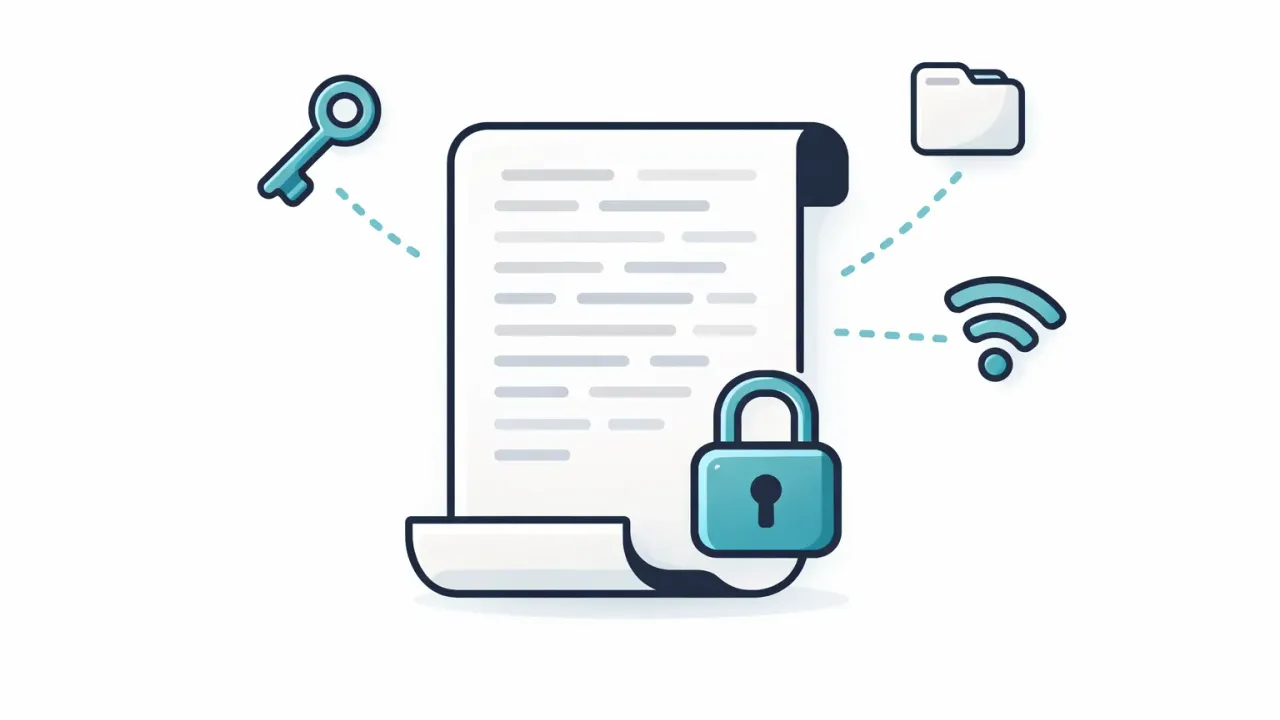
A legal will sits in a filing cabinet; a digital one updates the moment a password changes.
A digital will isn’t a legal document. It’s a practical plan for who gets access to your digital life when you can’t hand it over yourself.
Think of it as a companion to your legal will. The legal will handles assets the court system knows how to process: property, financial accounts, physical belongings. The digital will handles everything else, logins, credentials, encrypted files, recovery codes, crypto keys, and the hundreds of accounts that make up your digital footprint.
It doesn’t go through probate. Doesn’t get filed with a court. It’s not about legal ownership; it’s about practical access. Can your spouse get into the mortgage account? Can your kids find the insurance policy? These are operational questions, and they need an operational answer.
Your Options for Creating a Digital Will
A handful of approaches exist, each with tradeoffs.
Google Inactive Account Manager
Google lets you designate trusted contacts who get access to your Google data (Gmail, Drive, Photos, YouTube) after a period of inactivity you define, between 3 and 18 months. Free, built-in. But it only covers Google services. Won’t help with your bank, your crypto, your non-Google email, or anything else.
Apple Legacy Contact
Apple lets you designate a Legacy Contact who can request access to your iCloud data after your death. They need a death certificate and an access key that Apple generates during setup.
Covers Apple’s ecosystem only: iCloud photos, iCloud Drive, Notes, and so on. Doesn’t extend to bank accounts, non-Apple email, cryptocurrency, or anything outside Apple’s walled garden. And the death certificate requirement makes it useless for situations short of death, a prolonged hospital stay, for instance.
Password Manager Emergency Access
Most major password managers now include some form of emergency access. The general idea is the same: you designate a trusted contact, they request access, and if you don’t deny the request within a set period, they get in.
LastPass offers this, but trust in LastPass took a hit after the 2022 breach that exposed encrypted vault data. The feature works. Many people have moved on from the platform entirely.
Bitwarden has emergency access on premium plans. Solid, but it’s a secondary feature in a product built for personal password management. Your recipient needs their own Bitwarden account, and setup isn’t intuitive.
1Password doesn’t have in-app emergency access at all. Instead, they provide an Emergency Kit, a PDF you print and store somewhere safe. Paper-in-a-safe with a branded wrapper. Change your master password without reprinting the kit and it’s worthless.
NordPass offers emergency access but locks the waiting period at exactly 7 days. No customization. That might work for some relationships but is too rigid for others.
The shared limitation: emergency access is a bolt-on feature, not the core product. It covers only what’s stored in that specific password manager. If your digital life spans multiple tools, platforms, and file types, a password manager’s emergency access is a partial solution at best.
Dedicated Digital Will Tools
A growing category of apps is purpose-built for digital estate planning.
AbsentKey takes a different approach, and it’s the one this post focuses on, because it solves the digital will problem without check-in overhead.
Cipherwill is a web-based platform where you store your digital assets and designate beneficiaries. It uses end-to-end encryption and lets you organize information into categories. The catch: the heartbeat model. You have to check in periodically to confirm you’re still around. Miss a check-in, whether you’re traveling, hospitalized, or just busy, and the system can trigger prematurely. Handles the digital will concept well in theory, but the ongoing maintenance requirement creates real friction.
How AbsentKey Works as a Digital Will
AbsentKey is built around controlled sharing. You store your secrets, passwords, files, notes, whatever needs to be passed on, and assign each one to a specific person. For each person, you set a waiting time between 1 day and 365 days.
Here’s how it plays out in practice:
You add everything your family would need. Bank logins, email credentials, insurance portal access, crypto seed phrases, important documents, 2FA backup codes. Text secrets and files, with preview support for PDFs and images.
You assign each secret to the right person. Your spouse might get the financial accounts. Your adult child might get social media and cloud storage. Each person sees only what you’ve assigned to them, nothing more.
You set a waiting time per person. Not a global setting. Your spouse might have a 7-day window. Your sibling, 30 days. A business partner, 14 days. Calibrate based on the relationship and the scenario.
Nothing happens until someone asks. No daily check-ins, no weekly pings, no countdown ticking in the background. The system stays quiet until a recipient submits an access request.
You respond, or you don’t. See the request? Approve or deny it. Can’t respond, because you’re incapacitated, unreachable, or gone, and the timer runs out, granting access automatically.
No lawyer drafted this. No notary stamped it. Set it up on your phone in a few minutes. The encryption and the timer handle what legal paperwork can’t.
Secrets are end-to-end encrypted (XSalsa20-Poly1305, X25519 key exchange), using a zero-knowledge architecture where the server never sees your secrets in plaintext. The mobile client is source-available on GitHub. Receiving is always free, your family members don’t need paid accounts. Premium runs $1.99/month or $19.99/year. Works on iOS and Android.
What to Include in Your Digital Will
A practical checklist. You don’t need to do everything at once, start with the high-priority items and build from there. (For a more detailed breakdown by category, see the full digital estate planning checklist.)
Primary email account. The single most important credential you can share. Email is the recovery method for nearly every other account. If your family can get into your email, they can reset passwords for most things. Include the password and any 2FA backup codes.
Banking and financial accounts. Online banking, savings, investment platforms, retirement accounts, mortgage servicer portal. If your family needs to pay bills or access funds, these logins matter more than almost anything else.
Insurance portals. Health, life, auto, homeowner’s. Families often don’t even know which company to call. Having the portal login and policy numbers in one place saves a lot of confusion during an already bad time.
Mortgage and loan accounts. The servicer portal where payments are made. If your spouse doesn’t have their own login, they’ll need yours to keep payments current.
Cryptocurrency. Seed phrases, wallet passwords, exchange logins, hardware wallet PINs. No recovery path exists without these credentials. If nobody has your keys, the funds are gone. Permanently.
Social media. Facebook, Instagram, Twitter/X, LinkedIn. Not for posting, for memorializing or closing accounts.
Subscriptions and recurring services. Streaming, cloud hosting, domain registrars, SaaS tools. Your family needs to know what’s billing and how to cancel it.
Cloud storage and photos. Google Drive, iCloud, Dropbox, OneDrive. Files and photos in the cloud could be deleted after a period of inactivity if nobody maintains the account.
Important documents. Scanned copies of your will, power of attorney, advance healthcare directive, property deeds, vehicle titles. Not replacements for the originals, but digital copies accessible to your family make a real difference when they’re scrambling for paperwork.
2FA recovery and authenticator backup. If you use an authenticator app, the password alone won’t cut it. Share your 2FA backup codes or the recovery method for your authenticator, without these, even the right password hits a dead end.
FAQ
Is a digital will legally binding?
Not in the way a traditional will is. A digital will doesn’t go through probate and doesn’t carry the same legal standing as one drafted by an attorney. But that’s the point, legal wills aren’t designed for passwords. A digital will is a practical tool that complements your legal one. The legal will says who inherits what. The digital will makes sure they can actually get to it.
What’s the difference between a digital will and a password manager?
A password manager is built for your daily use. Emergency access (when it exists) is a secondary feature. A digital will is built for the people who come after you, controlled delivery to specific recipients on a specific timeline. Many people use both: a password manager for themselves, and a digital will tool for their family.
Can I use AbsentKey alongside my existing password manager?
Yes, and it’s the most common setup. Keep using whatever password manager you like for daily logins. Use AbsentKey to store the credentials and documents your family would need in an emergency, assigned to specific people with appropriate waiting times. Different problems, works well together.
You probably already have a legal will, or at least know you should. Your digital will deserves the same thought. The difference: this one doesn’t require a lawyer, a notary, or a trip to the attorney’s office. Takes about ten minutes to set up the basics, and you can add to it over time.
Download AbsentKey and start with the accounts your family would need first. Your email, your bank, your insurance. The rest can follow.