AbsentKey is the only option here that shares one secret at a time on a per-recipient timer; every password manager hands over the whole vault. Among them, Bitwarden offers the best value, Proton Pass wins on ecosystem breadth, and 1Password still doesn’t have built-in emergency access at all.
Every password manager has emergency access now. Sort of.
Emergency access went from a niche feature to a marketing checkbox over the past couple of years. Almost every major password manager lists it on their features page. On the surface, they all sound the same: designate a trusted contact, set a waiting period, and if something happens to you, they get in.
The implementations are wildly different. Some give your contact your entire vault. Some only work if both people are paying customers. Some cap the waiting period at 7 days. One major player doesn’t have the feature at all, they tell you to print a PDF instead.
Here’s what six password managers actually offer, where each one falls short, and whether a dedicated tool makes more sense if this is the thing you actually care about.
Comparison table
| ★ App | Emergency Access | Wait Period | Granularity | Pricing | Open Source |
|---|---|---|---|---|---|
| AbsentKey | ✓ Core feature | Instant to 365 days | ✨ Per-secret, per-person | Free to receive · $0.99/mo | ✓ Source-available |
| LastPass | Yes | Instant to 30 days | Entire vault | Premium $3/mo | No |
| Bitwarden | Yes (Premium) | 1 to 90 days | Entire vault | $19.80/yr individual | Yes (AGPL) |
| NordPass | Yes | Fixed 7 days | Entire vault (read-only) | $1.49/mo | No |
| Proton Pass | Yes | Configurable | Entire Proton account | $4.99/mo | Partial |
| 1Password | No | N/A | N/A | $3.99/mo | No |
| Keeper | Yes | Configurable | Vault read-only (5 contacts) | $2.92/mo | No |
How each one handles it
LastPass
LastPass was one of the first to ship this. You designate a trusted contact by email, choose a waiting period (instant to 30 days), and if they request access and you don’t respond in time, they get into your vault. Your contact needs a LastPass account, a free one works for receiving.
The waiting period is configurable, you can revoke access at any time, and the request-and-wait model means nobody’s checking in on you daily. When emergency access triggers, your contact gets everything. Every login, every secure note, every saved card. The 2022 breach still looms large. Premium starts at $3/month.
Bitwarden
Bitwarden’s emergency access works similarly to LastPass but comes from a more trusted starting point. You designate a contact, set a waiting period (1 to 90 days), and choose between “view” access (they see your vault items) or “takeover” access (they can reset your master password). That view-vs.-takeover distinction is a nice touch, nobody else offers it.
The real advantage here is trust. The codebase is open source under AGPL. At $19.80/year for individual premium, it’s also the cheapest option on this list. Same limitation as everyone else: it’s your entire vault or nothing.
Every password manager hands over the whole vault none let you pick what each contact gets.
NordPass
NordPass includes emergency access in its premium plans. Setup is simple: you pick a trusted contact, and if they request access, there’s a 7-day waiting period before they get in.
That 7-day period is fixed. You can’t change it. Seven days might be too long if someone urgently needs your credentials. It might be too short if you go off-grid for two weeks. Access is read-only, which is a smart constraint. Pricing runs about $1.49/month on longer plans.
Proton Pass
Proton takes a broader approach. Emergency access applies to your entire Proton account, not just passwords. If you use Proton Mail, Proton Drive, and Proton Pass together, your emergency contact can access your email, cloud storage (up to 10GB), and your password vault. The waiting period is configurable.
That breadth is what makes Proton interesting. Most password managers only cover passwords. Proton’s emergency access covers email correspondence, stored files, and even crypto wallet credentials. If you’re already in the Proton ecosystem, it’s a reasonable upgrade. Plus starts at $4.99/month, Unlimited at $12.99.
1Password
1Password doesn’t have built-in emergency access. This surprises people. It’s one of the most popular password managers in the world, and there’s no way for trusted contacts to request access to your vault with a configurable waiting period.
What they offer instead is the Emergency Kit, a PDF with your email, your Secret Key, and a blank space for your master password. You print it, fill in the password by hand, store it somewhere safe.
A printed PDF is a single point of failure in the physical world. Paper gets lost, burns in fires, gets forgotten, or gets found by the wrong person. We dig deeper in AbsentKey vs 1Password. For a product at 1Password’s maturity, this is a real gap.
Keeper
Keeper offers emergency access for up to five contacts on paid plans. You set a configurable waiting period, your contact requests access, and if you don’t respond in time, they get read-only access to your vault.
Pricing starts at $2.92/month for individuals. Keeper has been around since 2011 and has completed SOC 2 audits and third-party penetration tests. The limitations are familiar: vault-level access only, your contact needs a Keeper account.
What they all get wrong
After looking at six products, a few patterns are hard to miss.
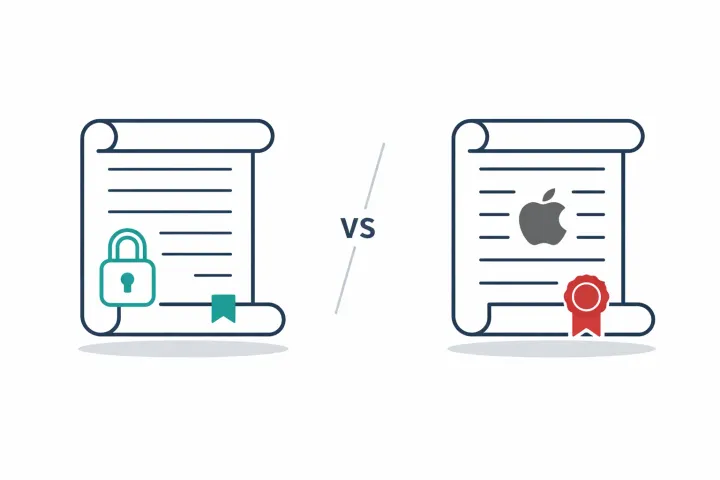
# AbsentKey: per-secret scope, per-recipient timers grant(recipient) → “one secret, not the vault”; timer = “instant–365d, per person”; recipient = “free app, no same-vendor account”; scope = “per-secret, per-recipient”;
# Every PM-flavored emergency access boils down to this: grant(contact) → “entire vault”; timer = “7d–90d”; recipient = “must hold same-vendor account”; scope = “all-or-nothing”;
It’s always all-or-nothing. Every password manager that offers emergency access hands over the entire vault. None let you pick which items a specific contact should get.
Both sides need accounts. Your emergency contact has to sign up for the same platform. You’re asking someone to create an account on a service they may never use for anything else.
Emergency access is always tacked on. These are password managers first. Emergency access got added later. Buried in settings, limited configuration. Nobody signs up for Bitwarden because of emergency access.
Timer ranges are short. LastPass caps at 30 days. Bitwarden at 90. NordPass is stuck at 7. For business succession or highly sensitive material, these may not cut it.
No per-person differentiation. You can’t give your spouse a 7-day waiting period and your business partner 30 days for different sets of credentials.
The dedicated alternative
AbsentKey isn’t a password manager. It doesn’t store your daily logins or autofill forms. It’s a vault built around one use case: getting your secrets to the right people, on your terms, when you can’t hand them over yourself.
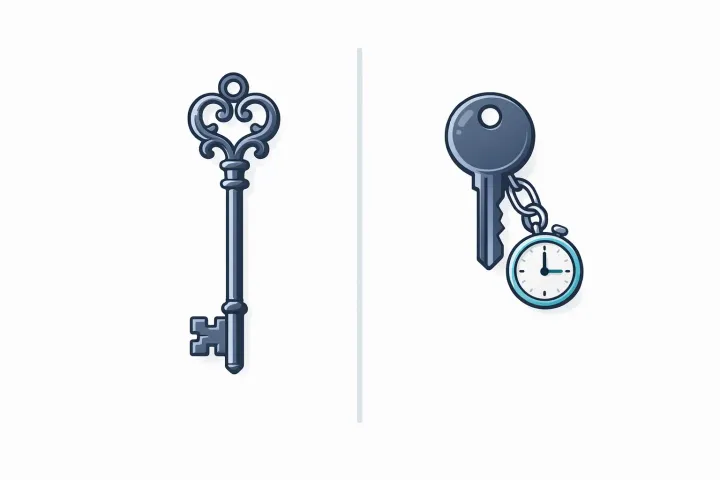
Per-secret, per-person control. You create individual secrets and assign them to specific recipients. Your spouse gets the bank credentials. Your business partner gets the server access keys. Each assignment has its own waiting period, 1 day to 365 days.
Receiving is free. Your contacts download AbsentKey and that’s it. No subscription, no premium tier. The person sharing pays for Premium ($0.99/month or $9.99/year). The person receiving never pays.
No check-ins. Nothing happens until a recipient actively requests access. You get notified and can approve, deny, or let the timer run out. See our dead man’s switch apps comparison for how check-in-based tools differ.
Source-available. The mobile client code is on GitHub. You can inspect the encryption (XSalsa20-Poly1305, X25519, HKDF-SHA256) and verify the zero-knowledge claims yourself.
The honest framing: AbsentKey complements your password manager. Keep your daily logins in Bitwarden or 1Password. Put your master password, crypto seed phrases, and important documents into AbsentKey with per-person timers.
Verdict
There’s no single right answer.
Already using a password manager and emergency access is a nice-to-have? Use what your current manager offers. If that’s Bitwarden, you’ve got one of the better implementations for $19.80 a year. 1Password? Print the Emergency Kit and accept the tradeoffs.
Want the broadest coverage from one provider? Proton Pass is worth a look, emergency access extends across email, storage, and passwords.
Emergency access is your primary concern? The password manager implementations all share the same structural limits: all-or-nothing vault access, both parties need accounts, short timer ranges, no per-person differentiation. AbsentKey was built from the ground up for this.
Cost is the deciding factor? Bitwarden at $19.80/year is the cheapest way to get emergency access inside a password manager. AbsentKey at $0.99/month costs more, but you’re paying for a purpose-built tool.
Someone in your life uses 1Password and hasn’t set anything up? That’s the most urgent case. They don’t have emergency access. Either switch managers, print the Emergency Kit today, or add AbsentKey alongside 1Password.
FAQ
Which password manager has the best emergency access?
Bitwarden. Open source, configurable wait period up to 90 days, view or takeover options, $19.80 a year. Proton Pass is a close second if you want ecosystem breadth. LastPass was the pioneer but carries the 2022 breach baggage. NordPass is too rigid at a fixed 7 days.
Can I use a password manager and AbsentKey together?
Yes, and that’s the recommended setup. Keep your password manager for daily use. Use AbsentKey for secrets that need to reach specific people with specific timers. You can store your password manager’s master password in AbsentKey as a secret, giving your emergency contact a way into your vault without needing an account on the same platform.
What happens to my passwords if I die without emergency access set up?
They’re gone, in most cases. Password managers encrypt your vault with your master password. Without it, nobody gets in. Some providers will work with estates given a death certificate, but the process is slow, not guaranteed, and varies by provider. This is exactly what emergency access is meant to prevent.
Is AbsentKey a password manager?
No. It doesn’t autofill logins, doesn’t sync passwords across browsers, doesn’t have a desktop app or browser extension. It’s a vault for controlled sharing with trusted contacts, choosing what to share, with whom, under what conditions. It works alongside any password manager, not as a replacement.
Set it up this week
The worst emergency access plan is the one you keep meaning to configure. If you’ve read this far, you’ve done the research. Pick the tool that fits, set up your contacts and waiting periods, and move on.
Download AbsentKey, free to receive, available on iOS and Android.